Different names - one Shared Label 🗂
Rename Shared Labels in a way that works the best for YOU.
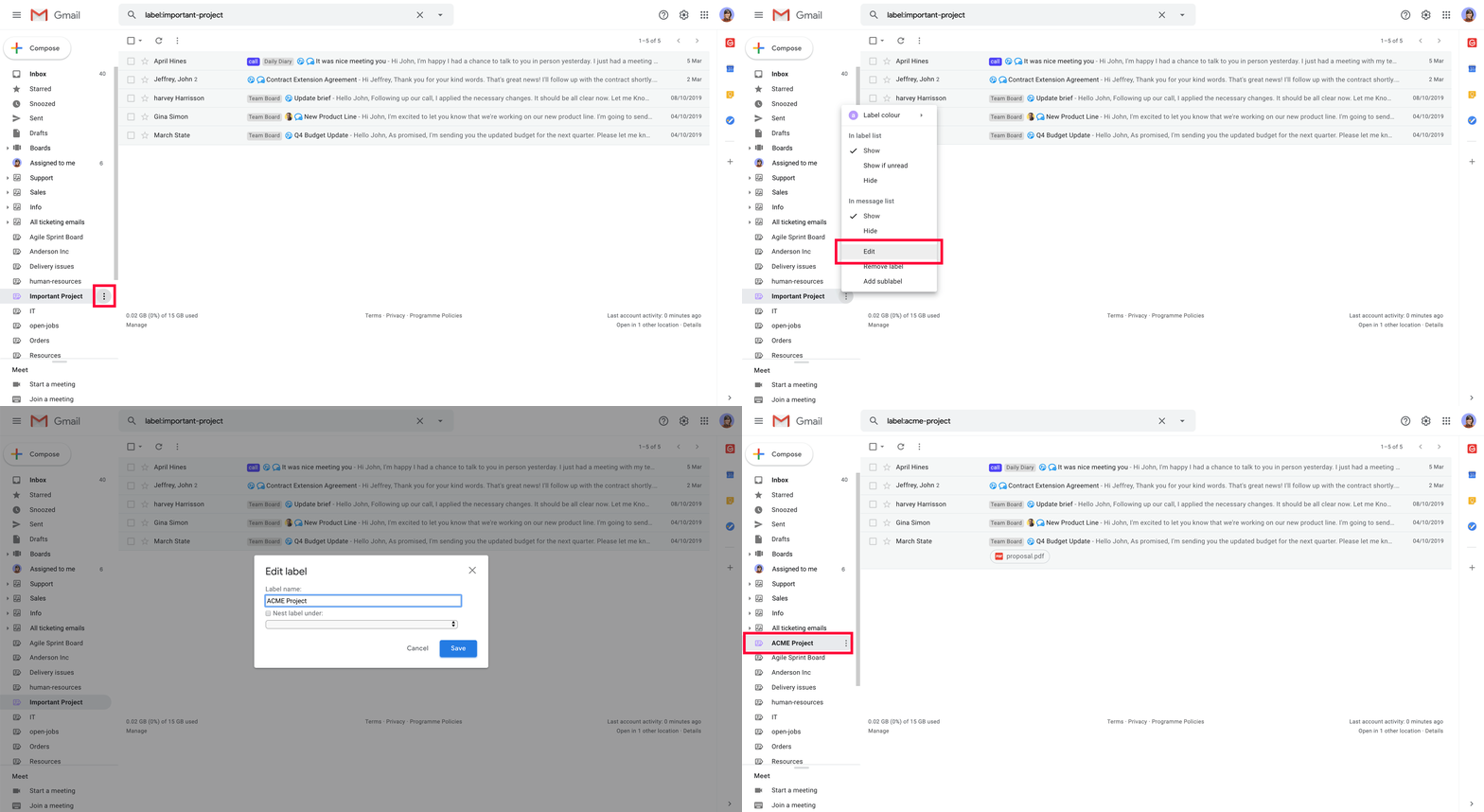
Each team member can now decide how they want a Shared Label to be named. Here is how it works:
- 1️⃣ Click the 3-dot icon next to a Shared Label inside your inbox
- 2️⃣ Edit your Label and save changes
- 🙌 Enjoy the inbox organized YOUR way
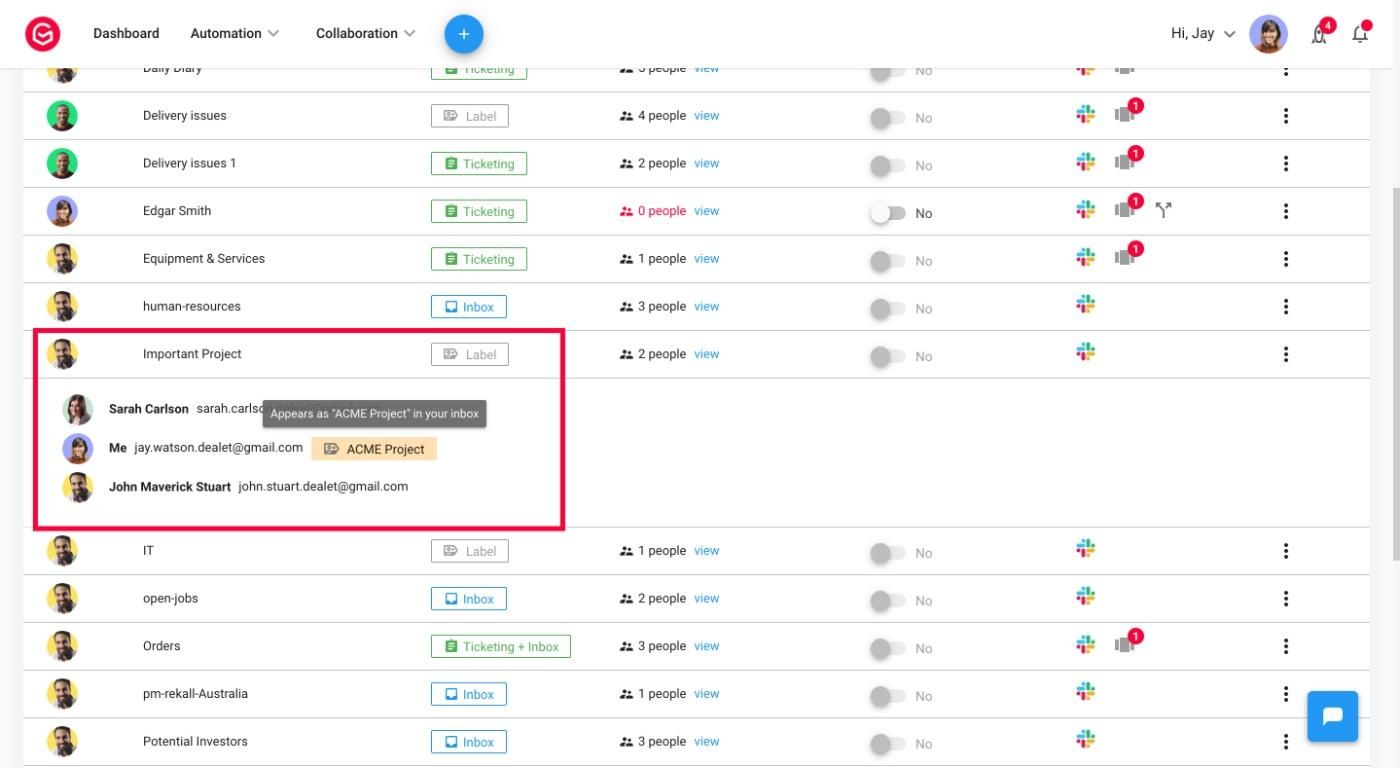
The original Shared Label's name will remain on your Dashboard. But all changes will reflect once you extend a Label. And soon, you will be able to search for the right Label on your Dashboard using the new name.
Have a new project to collaborate on?