Changelog

Follow new updates and improvements to Gmelius.

January 27th, 2026

January is about starting the year with a cleaner inbox and less manual work. Here’s a quick look at what’s new in Gmelius and what’s coming next, including multiple new skills added to Meli, your AI executive assistant.


AI Sorting by Meli: Keep Non-Essential Emails Out of Your Inbox 

For each AI category, you can now choose whether new emails should:

  • Stay visible in your inbox, or

  • Be automatically archived as soon as they’re categorized, and get closer to inbox zero thanks to Meli.

How it works in practice

If you set the Promotions category to Archive, emails identified as promotions won’t appear in your inbox. They’ll be automatically archived instead, keeping your inbox clear without losing access to the message.

Create your personal workspace or update its current configuration by going to the AI Sorting tab: https://app.gmelius.com/workspaces

This AI skill is only available for personal inboxes, not shared inboxes.


AI Follow Ups by Meli: Get the "Ping" out of your Head

Take follow-ups off your mind and focus on the work only you can do. Meli stays on top of your inbox by tracking threads and crafting timely follow-ups.

AI Follow ups can be found and enabled in the AI Draft tab of your workspace under advanced settings: https://app.gmelius.com/workspaces


AI Dispatching by Meli: Assign Conversations to the Right Teammate

Incoming conversations don’t always land with the right person. Meli changes that.

When accessing the new AI Dispatching tab, you’ll be able to define who should receive the conversation once it’s detected, and Meli will automatically route each message to the teammate best suited to handle it.

The result:

  • Less manual sorting

  • Faster response times

  • Better ownership across the team

This AI skill is only available for shared inboxes, not personal inboxes.


🪄 Set Up Autoresponders in Seconds

We’ve added a lightweight autoresponder rule to make simple automations easier.

On our Growth, Pro, and Enterprise plans, you can now quickly create automatic replies for out-of-office messages or instant acknowledgements, without building complex rules.

A faster way to stay responsive, even when you’re offline.


This is just the beginning of what we’re building this year…

Coming very soon:

  • A brand new look and better (user) experience for app.gmelius.com

  • Meli becomes your secretary by proactively scheduling meetings on your behalf.

.\. The Gmelius Team

November 13th, 2025

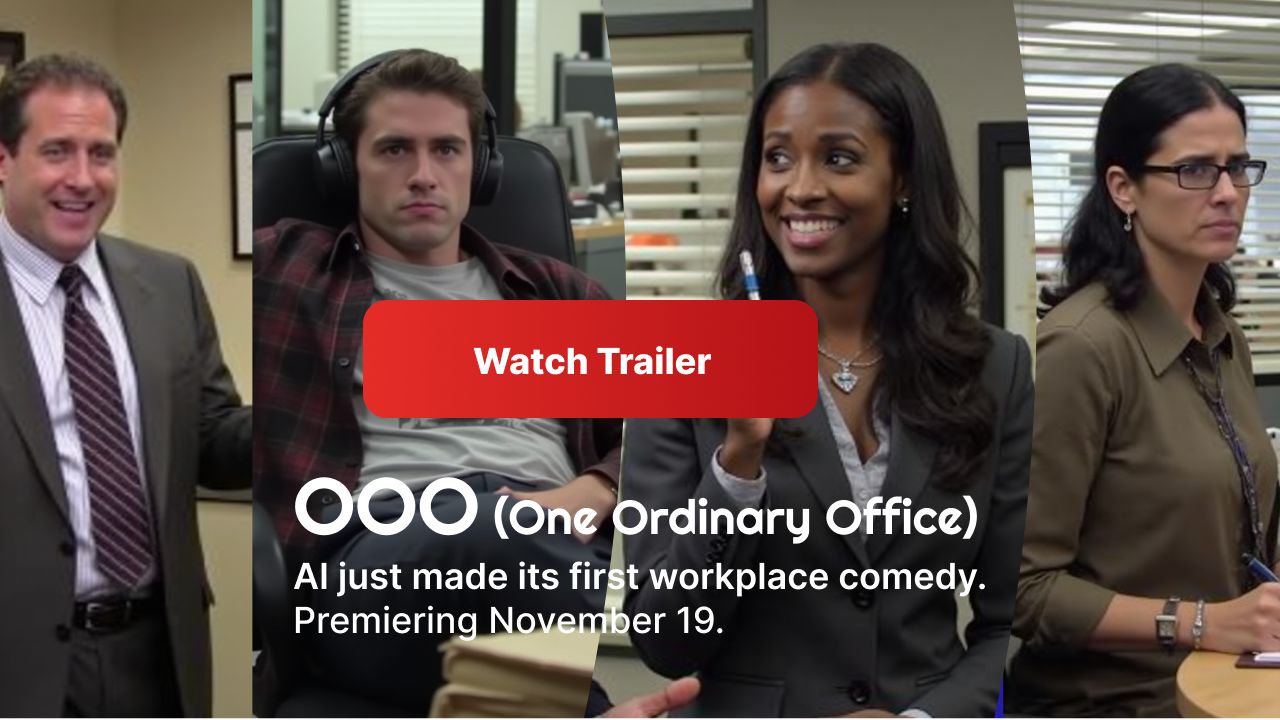
We're kicking off this month with some exciting news! We're premiering our first-ever micro-series, OOO (One Ordinary Office), on November 19. Get ready for a laugh—#AI just made its first workplace comedy. Check out the official trailer below!

Now, on to the product updates! We’re excited to roll out some powerful, much-needed updates designed to make your Gmelius experience even smoother. This month is all about giving you more control and smarter automation, starting with a brand-new command center for your team.

Meet Your New Command Center: The Gmelius Workspace

We've centralized your most important settings to make management a breeze. You can now access key information and settings from one convenient place. The Workspace is the new home for a host of powerful settings, including everything from your AI systems and integrations to your automation rules.

Here’s how to get started:

  1. Go to app.gmelius.com/workspaces

  2. Select your preferred Shared Inbox from the Gmelius homepage.

  3. Once inside, you'll find all the new Workspace settings on your left-hand side.


    Please Note: Access to specific Workspace settings may depend on your role, such as owner or admin.

Automate Your Triage with Smarter AI Sorting

The Gmelius AI Sorting assistant is now even easier to use.

From your new Workspace, just click on AI Sorting in the left pane to see all available rules. Enable the rules you want to apply, and then use the magic wand button to automate how different types of emails are managed. Imagine being able to:

  • Auto-archive all promotional or outreach messages.

  • Get a Slack ping for urgent team and collaboration alerts.

  • Auto-assign or route emails containing financial info to a specific person.

Enforce SLAs like a Pro

SLA-based auto-assignment has been totally revamped and is now way easier to set up on Gmelius.

You can now automatically assign new conversations or email tickets to the right person based on your company's SLAs. This feature uses our round robin and load balancer rules, or you can use external integrations like HubSpot or Salesforce.

Additionally, new SLA warnings let you define specific response time targets. You'll be immediately alerted if a reply is delayed, helping you keep every conversation on track.

The AI Draft Assistant got even smart(er)

Gain full control over when and where your AI assistant steps in. You can now control which domains need replies and which ones don’t.

Gmelius now includes whitelists and blacklists for the AI Draft Assistant. This allows you to control precisely when responses are generated, helping you cut down noise and save time with Meli, Gmelius AI.

🦃 Get Ready for the Holiday Season

With the holidays just around the corner, check out these helpful resources from the Gmelius team:

October 13th, 2025

New

Announcement

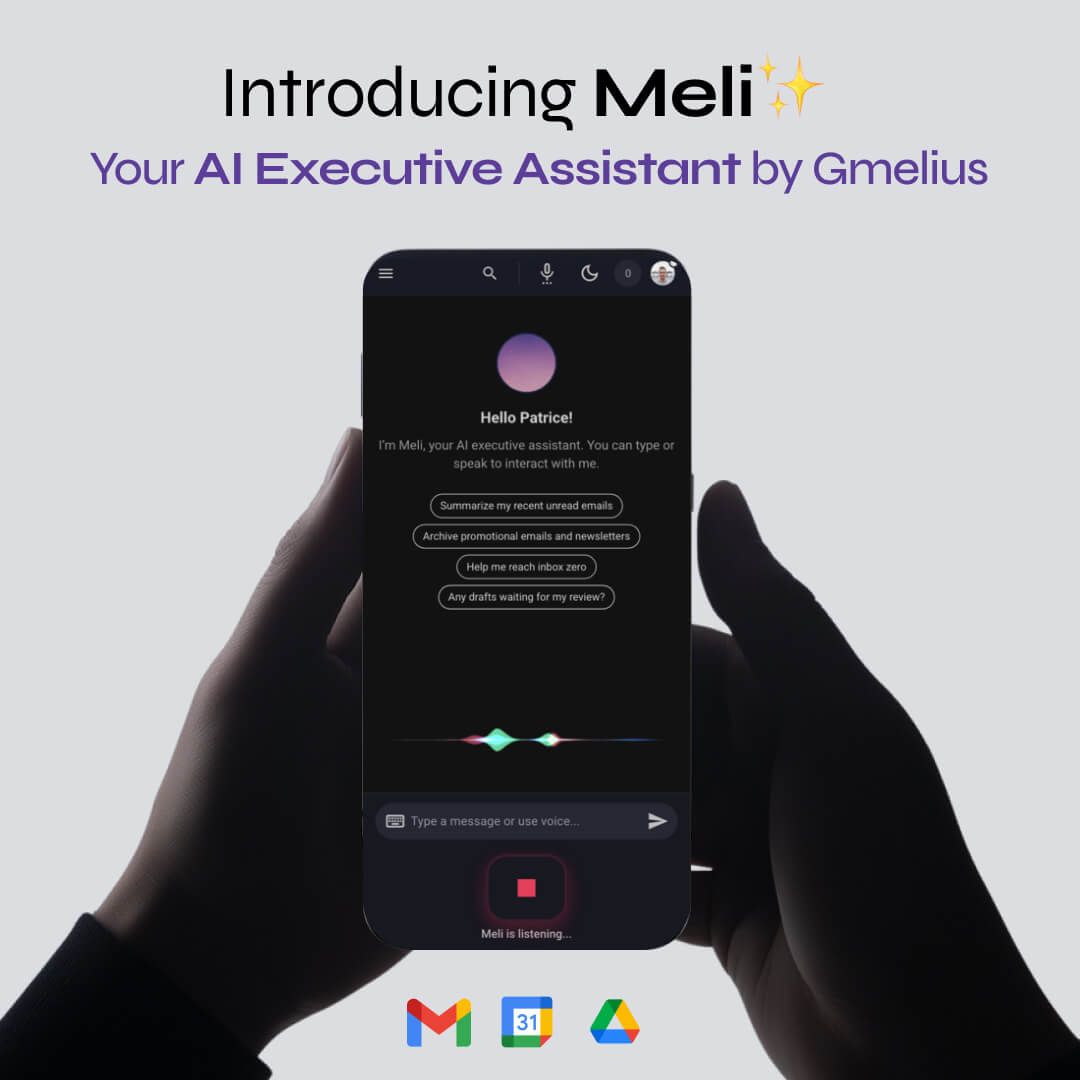
We’re thrilled to invite you to an early public preview of Meli, your new AI-powered executive assistant from Gmelius.

More than an email helper, Meli is your proactive executive assistant, built to anticipate needs, take initiative, and streamline your day.

With Meli, you can:

  • Summarize unread emails and flag what matters most.

  • Suggest archiving the noise and draft replies where action is needed.

  • Manage your calendar: events, reschedules, reminders.

  • Streamline daily email management so you can focus on real work.

With deep Gmail expertise and native Google Workspace integration, Meli is designed to help professionals reach inbox zero faster, cut response times, and focus on meaningful work.

💬 Start chatting with Meli

This is an early preview—and your feedback will directly shape how Meli evolves. Whether it’s helping you prepare for your day while commuting, managing incoming emails, or assisting your team, we’d love to hear how you’d use Meli:

Share feedback about Meli

July 16th, 2025

New

¡Hola! Hallo! Olá!

We’re excited to announce that Gmelius just got more global. Our extension for Gmail and our Progressive Web App (PWA) are now available in German, Spanish, and Portuguese—joining our existing English and French versions.

Whether you're managing a shared inbox in Madrid, automating workflows in Munich, or collaborating with your team in São Paulo, Gmelius now works in your language.

🌐 Why it matters:

This update completes our first set of supported languages and brings Gmelius closer to teams around the world—offering a more intuitive and localized experience, wherever you work.

💬 How to switch languages:

Gmelius will automatically adapt to the language set in your Gmail or browser settings. No manual changes needed!

🎯 What’s next?

We’re not stopping here. More languages and localizations are coming soon to support our growing global community.

As always, thank you for using Gmelius to reinvent the way you work—wherever you are, and now, in your own language.

June 16th, 2025

New

What’s New With the AI Reply Assistant?

Accessible to all Gmelius customers on the Growth, Pro and Enterprise plans.

✨ Custom Instructions & Prompts

Fine-tune your AI agent’s behavior using custom instructions. Think of it as having full control over the “brain” behind your replies. You can tailor the assistant to match your use case, add tone preferences, rules (e.g., share a Calendly link when a contact requests a meeting), or even prompt examples—whatever makes your day easier.

Image #1

🔍 Google Search Now Built-In

Say hello to Gen AI search in your Gmail inbox! Our AI agents can now look up information beyond your knowledge base. So, next time you have a quick query not covered by your past emails and linked knowledge base, your Gmelius AI assistant can draft an answer from data found on Google Search (e.g., your pricing details, address) without interrupting your flow of work.

🧠 Your Past Emails Are Already Training the AI

You were wondering how you can teach the AI to sound like you? Good news: it already does. Once you enable your AI Reply Assistant, they can analyze your sent emails from the last 2 years to learn your tone, writing style, and expertise, automatically.

Reminder: You’re in Control

You can still enrich your Agent with a custom knowledge base. Combine that with custom instructions, and you’ve got a fully personalized reply assistant that works just like (a faster version of) you.

P.S. Tell your teammates! Our AI assistant is even smarter in shared inboxes now.

Ready to try the AI Reply Assistant? Click the button below to get started or book an onboarding call with your Product Coach to learn more about Gmelius AI Assistants: gmelius.com/onboarding

More exciting updates coming very soon. For now, catch up on what’s happening in the Google ecosystem with our latest blogs, and do follow us on LinkedIn or Instagram.

February 24th, 2025

New

A new month, a smarter way to manage your inbox. We’re rolling out new updates to help you spend less time on emails and more time on what truly matters—whether it’s creative projects, big ideas, or simply enjoying life.

Here are our latest updates, along with a sneak peek at what's coming next!

Conversation Read Statuses

Accessible to all Gmelius users via the Gmail extension and our standalone Web App.

Image #1

Ever wondered who on your team has read a conversation in your shared inbox? With this new and highly-requested functionality, you’ll have clear visibility, for better collaboration and accountability. You will find a new eye button icon when you access a shared conversation; hover over the eye icon to check who in your team has read a specific message.

UI Updates to our Progressive Web App (PWA)

Enjoy richer experiences on iOS and Android thanks to our new PWA.

gmelius-pwa-mobile

We've refined our interface to make your workflow even more seamless and robust! Enjoy an improved email list view, now featuring avatars, multiple performance improvements and more accurate real-time updates.

Head now to app.gmelius.com from your smartphone to explore these changes.

Attachment Previews in the PWA

We’ve kicked off things with stunning image previews.

Access your files faster than ever! You can now preview some types of attachments directly within conversations on the mobile Progressive Web App, without needing to download them.

AI-Powered Automation Rule Creation

Have you had the chance to experience our AI agent for rules, launched just a few weeks back?

Setting up automation rules just got easier! Simply describe your needs in natural language, and our AI agent will generate the rule structure for you...Create rule with AI

What’s next? Coming very soon…

AI Agent Email Responder (March)

Let our AI agents draft replies to emails while you sleep, literally.

billboard-campaign

Get ready for a game-changer! Our upcoming update introduces an AI agent that tirelessly drafts email replies around the clock, mirroring your unique style and tone. Imagine waking up, checking your inbox, and finding perfectly drafted responses waiting for your approval. It's like having a personal assistant that never sleeps—pure magic in action! 🧞 We're putting it through its paces internally, and the results are nothing short of enchanting.

Custom AI Tags (March)

Effortlessly organize your incoming conversations with personalized prompts.

Create custom tags for intelligent email sorting and dispatching. Gmelius AI will analyze email content and automatically apply the most relevant tags, helping you stay organized without manual effort.

Backup Space is Almost Here (End of March)

Sign up for our brand new product built for Google Workspace.

Image #4

Backup Space is our upcoming solution for dedicated Google Workspace backup and data recovery. Don’t leave your Gmail conversations and Drive files unprotected. Join the exclusive waitlist on Backup.Space.

More soon. For now, catch up on what’s happening in the Google ecosystem with our latest blogs, and do follow us on LinkedIn or Instagram.

More from Gmelius:

✍️ 5-Minute Guide to AI Email Writing

🤖 Can Customers Tell an Email May Have Been Written Using Generative AI?

Let's put some Genius into your Gmail.\. The Gmelius Team

January 27th, 2025

New

As we step into 2025, our mission remains the same: make email the favorite part of your workday. This year, we're thrilled to unveil groundbreaking updates and brand new products that will elevate Gmelius to new heights. Stay ahead of the curve and be the first to discover our latest advancements by joining our community on LinkedIn or Instagram.

Here’s what has been released in January and what's in store for the next few weeks!

AI Architect for Rules

Automate email using a simple, natural-language command.

ai-agent-rules

Gmelius lets you set up “if-this, then-that” steps to automatically complete most email-related tasks. With our latest update, you no longer have to configure the triggers and actions manually. Simply tell our AI agent to create an automation flow and the agent will generate the corresponding rule for you. Head to your Automation rules and click on "Create rule with AI".

Try it now

UI Updates to our Progressive Web App (PWA)

Enjoy richer experiences on iOS and Android thanks to our new PWA.

gmelius-pwa-mobile

Last year, we launched app.gmelius.com, a PWA accessible from any mobile browser that can easily transform into a mobile app. We're currently rolling out a smoother UI and minor refinements like improved email lists with avatars.

What’s next? Coming very soon…

AI Agent Email Responder (February)

Let our AI agents draft replies to emails while you sleep, literally.

billboard-campaign

Get ready for a game-changer! Our upcoming update introduces an AI agent that tirelessly drafts email replies around the clock, mirroring your unique style and tone. Imagine waking up, checking your inbox, and finding perfectly drafted responses waiting for your approval. It's like having a personal assistant that never sleeps—pure magic in action! 🧞 We're putting it through its paces internally, and the results are nothing short of enchanting.

Preview Attachments on Gmelius PWA (February)

View attachments of an email without local downloads.

Tired of switching tabs to view attached files? Our upcoming PWA update will let you preview attachments (e.g., PDF files, images) without downloading them.

Backup Space is Almost Here (End of March)

Sign up for our brand new product built for Google Workspace.

Backup Space is our upcoming solution for dedicated Google Workspace backup and data recovery. Don’t leave your Gmail conversations and Drive files unprotected. Join the exclusive waitlist on Backup.Space.

More soon. For now, catch up on what’s happening in the Google ecosystem with our latest blogs, and do follow us on LinkedIn or Instagram.

More from Gmelius:

🔐 15 Reasons You Need Google Backup [+ Top Backup Options]

🤖 Ultimate Guide to Artificial Intelligence (AI) for Emails

Let's put some Genius into your Gmail. . The Gmelius Team

December 19th, 2024

community

Email Mining, AI-powered

If you liked our auto-tagging capabilities, you’re sure to find this useful.

Image #1

Hi there,

As we wrap up another year, it’s the perfect time to highlight a couple of our latest product updates for 2024 and share a sneak peek at what’s in store in 2025!

Image #2

Previously, AI tagging in Gmelius allowed you to automatically tag your emails, but this had limitations. You needed to select a category like Customer Service or Sales and each category had only 5-6 tags max.

Now, with AI email mining, your conversations will be automatically tagged by artificial intelligence without you lifting a finger! Ask your super admin to activate the feature, and the AI will apply tags from our entire catalog.

  • Visibility: See the entire organization’s top email topics at a glance.
  • Analytics: Get metrics on your frequent conversations.
  • Filtering: Find only the emails you need using AI email mining tags.
  • Customization (in development): Future updates will let you create your own tags.

Email mining is a Pro only feature. Lite and Growth users can access basic AI tagging.

Progressive Web App (PWA)

Introducing a new Gmelius experience on mobile!

Image #3

Launched a few weeks ag, our new progressive web app is the mobile version of app.gmelius.com. It has all the features you love in our web app for desktops, ideal for power users like you!

We’ve minimized the learning curve and the Gmelius PWA closely mirrors the desktop experience. All you need to do is open app.gmelius.com on your mobile browser and add it to the home screen.

  • Notifications: Real-time push notifications keep you updated on the go.
  • Ticketing: Assign emails to teammates, add notes, close conversations, and do everything you would in a classic ticketing workflow.

The Gmelius PWA works on both iOS and Android and is available on all plans.

What’s next? Coming early 2025…

AI Agents

Email’s about to be your favorite part of the day...

Imagine having a conversation with an AI agent about your operational needs, and it effortlessly configures the perfect automation rule for you.

Picture starting your day by opening Gmail to find perfectly crafted replies ready for your approval.

As we step into early 2025, our AI agents are set to revolutionize your email management, promising to reclaim countless hours for you.

Backup Space

We'll soon launch a brand new product for Google Workspace...

Without revealing too much, we can tell you that Backup Space is a dedicated backup and data recovery solution for Google Workspace users. You can already join the waitlist by visiting backup.space

More soon. For now, catch up on what’s happening in the Google ecosystem with our latest blogs, and feel free to reach us at success@gmelius.com

Merry Christmas!

🎄 Learn how to automate your email replies and enjoy the holidays!

🎉 Start the new year strong by protecting your Google Workspace data

Cheers to a bright and festive holiday season!

October 28th, 2024

New

You asked, we listened! You can now disable the Gmelius sidebar in Gmail. This small but highly requested feature makes your workspace feel a bit more spacious by giving you full control over the sidebar.

To disable the right-side bar, simply head to your account settings, enable the setting "Do not automatically expand Gmelius sidebar on Gmail" and reload your Gmail inbox.

It's a tiny tweak, but we know it can make a big difference to your daily flow!

Enjoy the extra room, and as always, thanks for your feedback.

Keep those suggestions coming.

October 18th, 2024

Announcement

We’ve got some exciting news from mission control! Our app and dashboard are shifting to a new orbit, moving from gmelius.io to app.gmelius.com!

But don’t worry, you won’t need to chart a new course—we will automatically redirect you to our shiny new home.

As always, we’re here if you have any questions 💬

Catch you in our new orbit! 🚀