Changelog

Follow new updates and improvements to Gmelius.

6 tips to automate your workflows

Our smart workflow automations not only triage your inbox faster but also speed up your team's processes overall.

Create a new workflow automation rule for immediate productivity gains!
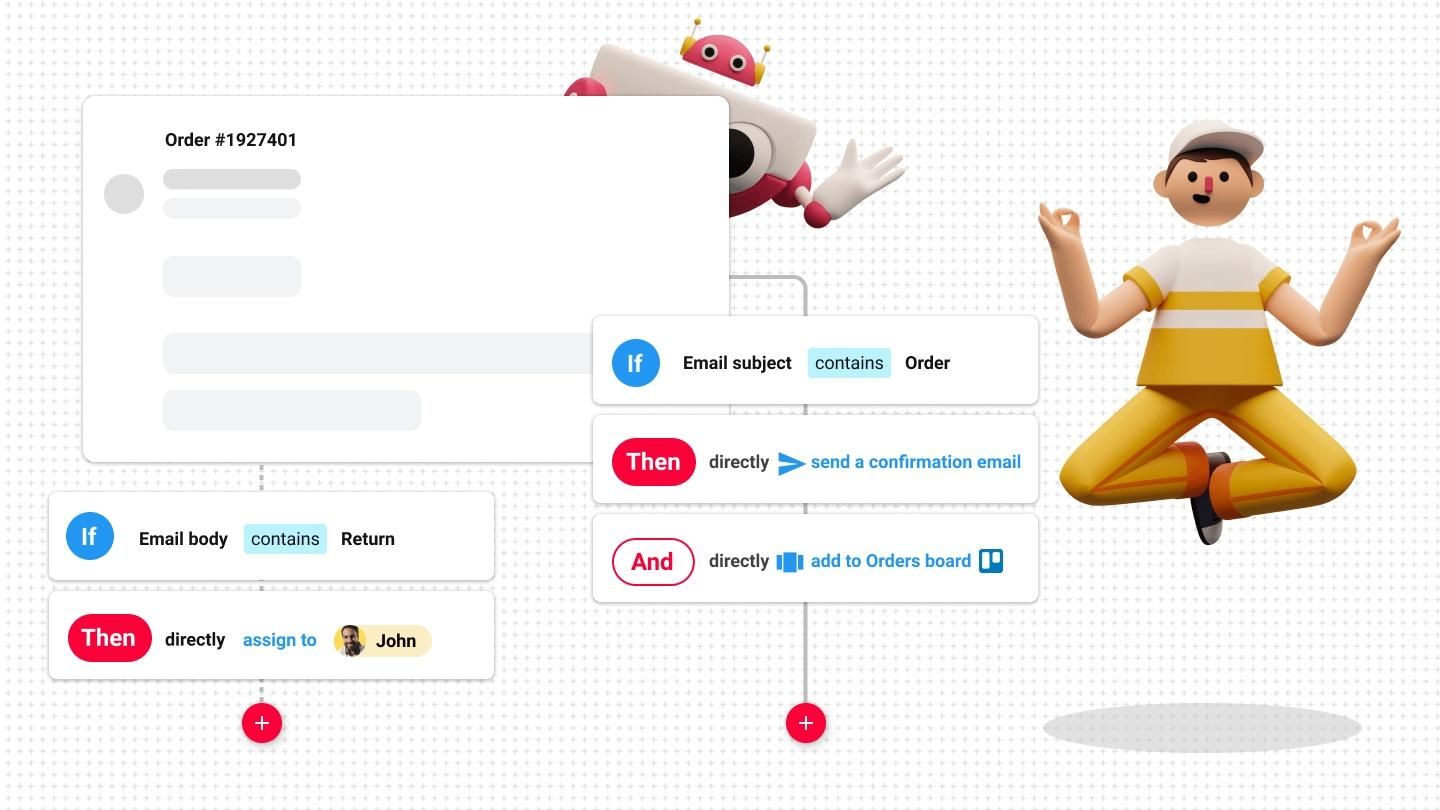
Image #1

Here are 6 ways to cut down the grunt work:

  • 😎 Set up auto-replies for your shared inboxes
  • 🙋 Auto-assign emails and tasks to specific teammates
  • 🆕 Drive your teammates' attention to crucial emails - move selected conversations to their personal inboxes
  • 🙌 Automatically distribute workload based on your team's availability
  • 🗂 Optimize your pipelines by automatically adding conversations to the right board
  • ⏳ Build time-bound rules to improve your customer service

Need help to get started? You'll find all the resources in our Knowledge Base.
Optimize your team's workflows with email templates

At Gmelius, we take the pain out of repetitive tasks, helping you streamline your daily processes.

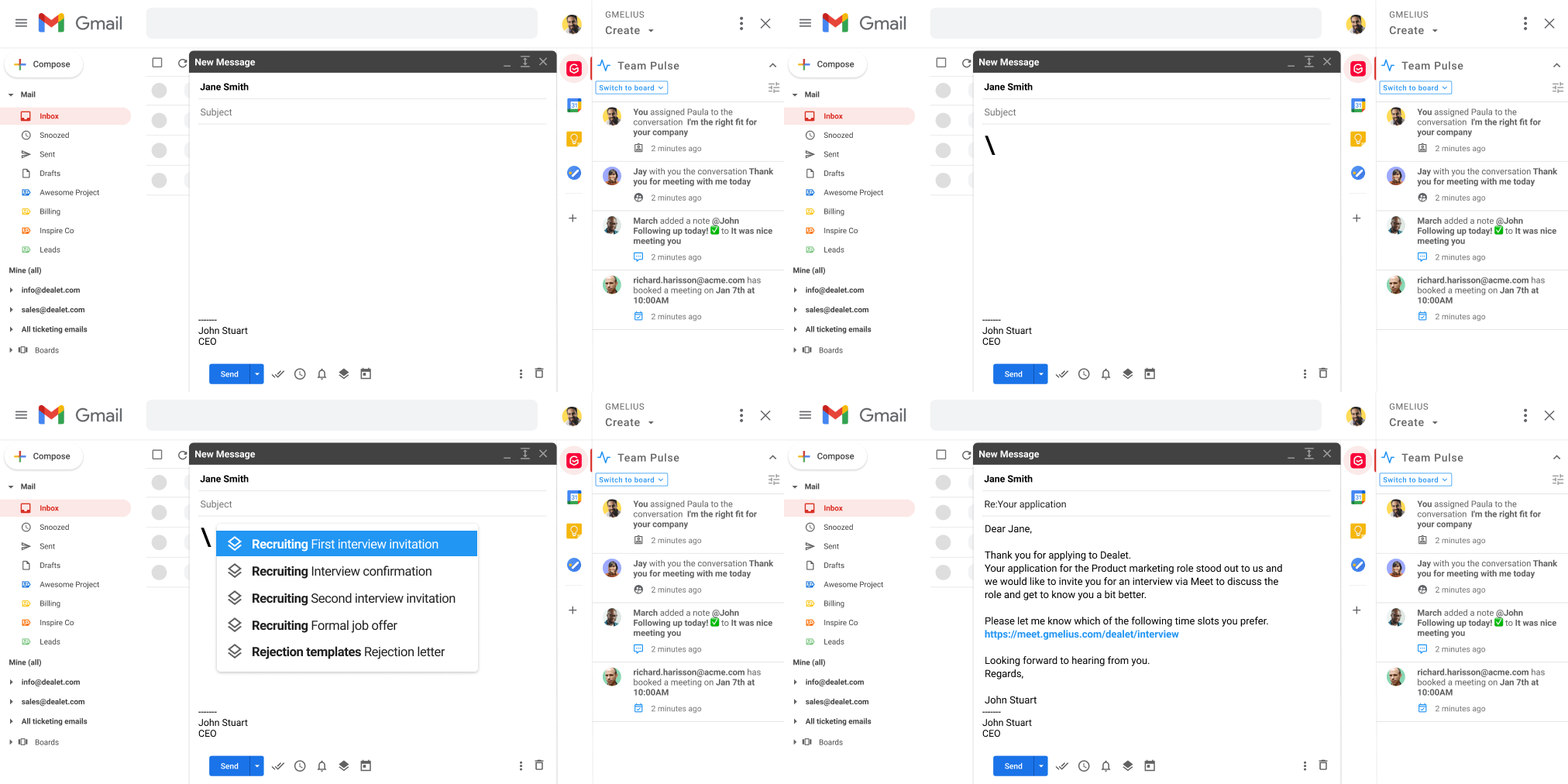
With email templates in hand, you can easily save time and energy, ensuring consistent communications across all team members.

Don't wait, create a template now.

Here are 3 best practices to help you make the most of our templates:

​​⏱️ Insert templates and snippets in 1 click with a backslash \ within the body or subject line

​​🙌 Personalize templates with variables and share best performing templates with your team

​​🚀 Use existing templates in sequences to automate your company's processes

Image #1

Get more detailed guidance in our Knowledge Base.

Looking for ways to further optimize your workflows?

👉 Join us live this Thursday, May 20th at 12pm EDT (6pm CEST).

We'll discuss how to streamline your day-to-day processes with our new Zapier integration.

3 tips to better organize your workload

Is work piling up? Don't panic - our Kanban boards got you covered!

Here are 3 easy-to-apply tips to get started:

  1. 1️⃣ Distribute and monitor your team's workload by creating Kanban views for your shared labels and inboxes.
  2. 2️⃣ Collaborating with clients and external partners? Build transparency by integrating Gmelius boards with Trello so that the progress of a project is visible to everyone at any time.
  3. 3️⃣ Speed up workload distribution by creating smart rules to automatically add conversations to the right board, auto-assign emails to specific teammates, and more.
Image #1

Stay tuned, as Gmelius boards will soon be available via our Zapier integration. 🚀

Are you ready to better manage your workload?

Earlier updates