Rethinking The Way You Work | Chapter 1 "January 2023"
Hello there,
Here's what happened at Gmelius in January.
🔥 New releases
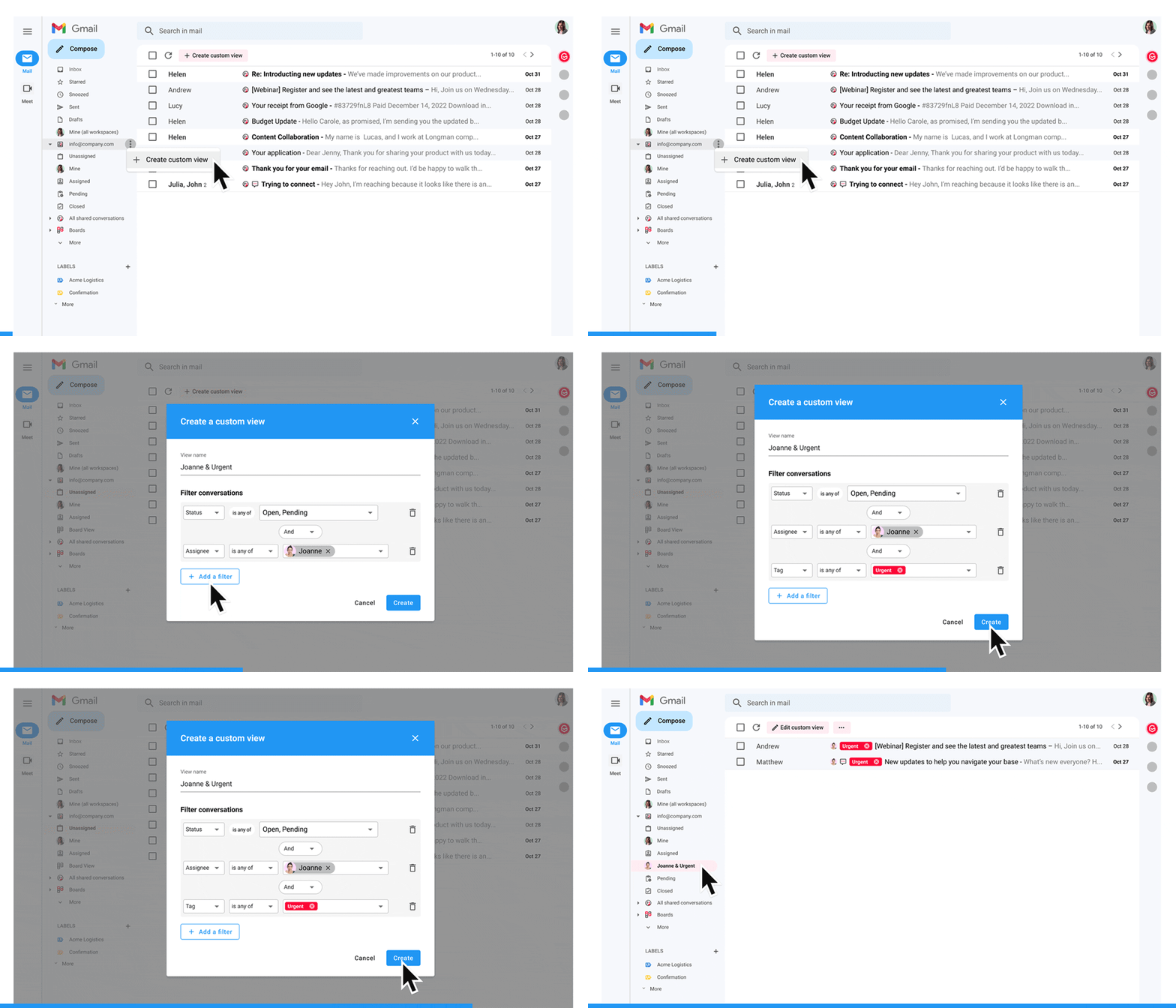
Create custom views for your team inbox
Custom views were our #1 feature request and are now live after many months of work from our Engineering Team. Custom views are very powerful by definition and make it possible to sort, filter and organize your Gmelius workspaces (e.g., your shared inbox) to fit your operational needs. Here are a few examples of what's feasible:
👤 Create a view for each teammate to access in one click the conversations assigned to each one of them.
🏷️ Create a view for specific tags, e.g., "SLA breach" to get a real-time and simple view on the critical conversations for your business.
Along with this release, you can now change the order of your left navigation entries in your workspace.
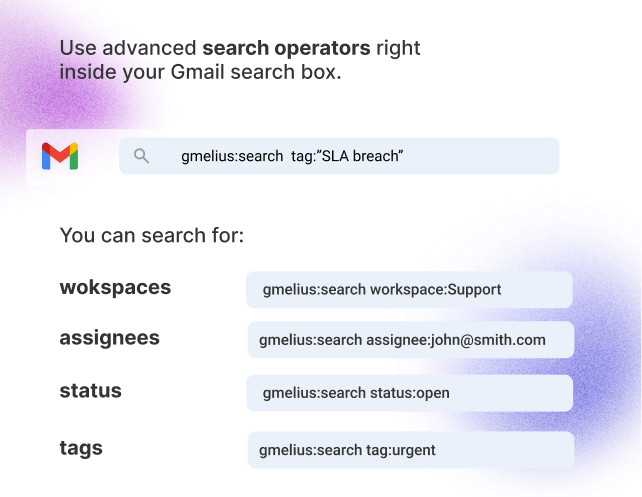
Search your shared conversations with our new operators
You can now use advanced search operators right inside your usual Gmail search box to easily find shared conversations that have specific assignees, status, tags, or are within a certain workspace.
Discover our new search operators
💡 Tip of the month
Save time with our keyboard shortcuts
Here are the top 7 Gmelius keyboard shortcuts we recommend you memorize and use to manage your shared email conversations...
To change the status of a shared conversation:
Mark as closed =
Option (or Alt) ⌥ + cMark as pending =
Option (or Alt) ⌥ + pMark as open =
Option (or Alt) ⌥ + oTo change the assignee of a shared conversation:
Assign to anyone =
Option (or Alt) ⌥ + aAssign to myself =
Option (or Alt) ⌥ + mTo add context to a shared conversation:
Add a tag =
Option (or Alt) ⌥ + tAdd a note =
Option (or Alt) ⌥ + n🤓 Recommended reads
How to control your SaaS spendings when your organisation accumulated a crazy number of tools over the years? Read now →
Five pragmatic examples of how AI will change your Gmail inbox in 2023. Read now →