Changelog

Follow new updates and improvements to Gmelius.

Your inbox just got a team of AI agents

Hello World,

Email is more than half a century old, and it still works perfectly.

The inbox doesn't.

The 7am scroll, the unread count, the queue you process by hand. Only about a quarter of what lands in your inbox actually needs a decision from you. The rest is noise you read anyway, just to find that quarter.

So we stopped trying to build a better inbox. We built AI Agents that work inside yours.

Why Gmelius agents are different

Most AI tools start from zero. They see one message and guess. Your Gmelius workspace already holds what they're missing: every client thread, every past decision, every internal note your team has shared. Your inbox already holds the context. Now, Meli - your AI Chief of Staff - uses it to orchestrate AI agents that do the work for you and your team.

Here's what that looks like:

  1. A request lands. An email, a message, anything in a shared inbox or connected tool.

  2. The agent reads it in context. It checks your client history, past decisions, and team process, not just the words in the message.

  3. It does the work. It updates the CRM, drafts the reply, and kicks off the task in your other tools.

  4. It closes the loop. The job is done and every step is logged. Or it goes to the right person with the full context attached.

Set it up once. It runs every time, without being asked.

You stay in control. You decide what each agent can touch, what needs your approval, and when a human steps in. Run one agent or a hundred.

💡 Rule of thumb: If you do the same thing more than twice a week, that's an agent waiting to be built.

Your inbox already holds the context. Now, AI Agents use it to triage, route, draft, and track work for you. Head to the AI Agents page and choose what you want to automate…

👉 https://app.gmelius.com/ai-agents


Curious where this is heading? Read our new eBook The Inbox is Dead.

The inbox had a good run. What comes next works for you.

The Gmelius Team
Meli is now your personal secretary. 📆 Meetings, handled.

March is all about reducing friction in your inbox and helping you move faster without extra effort. ✨

From smarter scheduling to improved organization and real-time sync, here’s what’s new in Gmelius, and what Meli can now do for you.


🤖 AI Meeting Scheduler by Meli: No More Back-and-Forth

When an incoming email contains a meeting request, Meli automatically detects it and acts as your personal secretary. Meli checks your calendar availability, applies your scheduling preferences, and drafts a ready-to-send reply with suggested time slots.

The recipient can then book a time in one click.

What makes it different: This is not chat-based scheduling. You don’t need to prompt it, Meli acts when it matters.

The AI Meeting scheduler is available for all customers. Learn more


🏷️ AI Labels: Smarter Inbox Organization

Personal inboxes with AI Sorting enabled now generate Gmail labels instead of Gmelius tags, making it easier to organize and navigate conversations.

This update is now available across all plans.

What this means for you: Conversations are automatically categorized into clear Gmail folders creating an improved visibility and structure in your inbox both on desktop and mobile.


⚡ Real-Time Updates Are Back

Your workspace now stays perfectly in sync without manual refresh.

We’ve improved real-time updates across key areas like:

  • Ticketing folders

  • Custom views

  • Shared workflows

Everything updates instantly, so you’re always working with the latest information.


🧹 Auto-Cleanup for AI Drafts

Meli now automatically deletes unused drafts to keep your Gmail drafts folder clean. AI-generated drafts are deleted after 3 business days if unused, helping keep your inbox clutter-free without any manual effort.


From the Editorial Team

On YouTube, we’re exploring whether AI truly understands your feelings… or is it just very good at pretending?


From smarter meeting scheduling to automatic cleanup, Meli keeps taking work off your plate.

And we’re only getting started. More updates coming soon.
- The Gmelius Team

February is our Favorite F-Word

This month might be 28 days short, but for Gmelius, it’s packed with updates, enhancements, and new releases.


Brand New Dashboard and Smarter Navigation

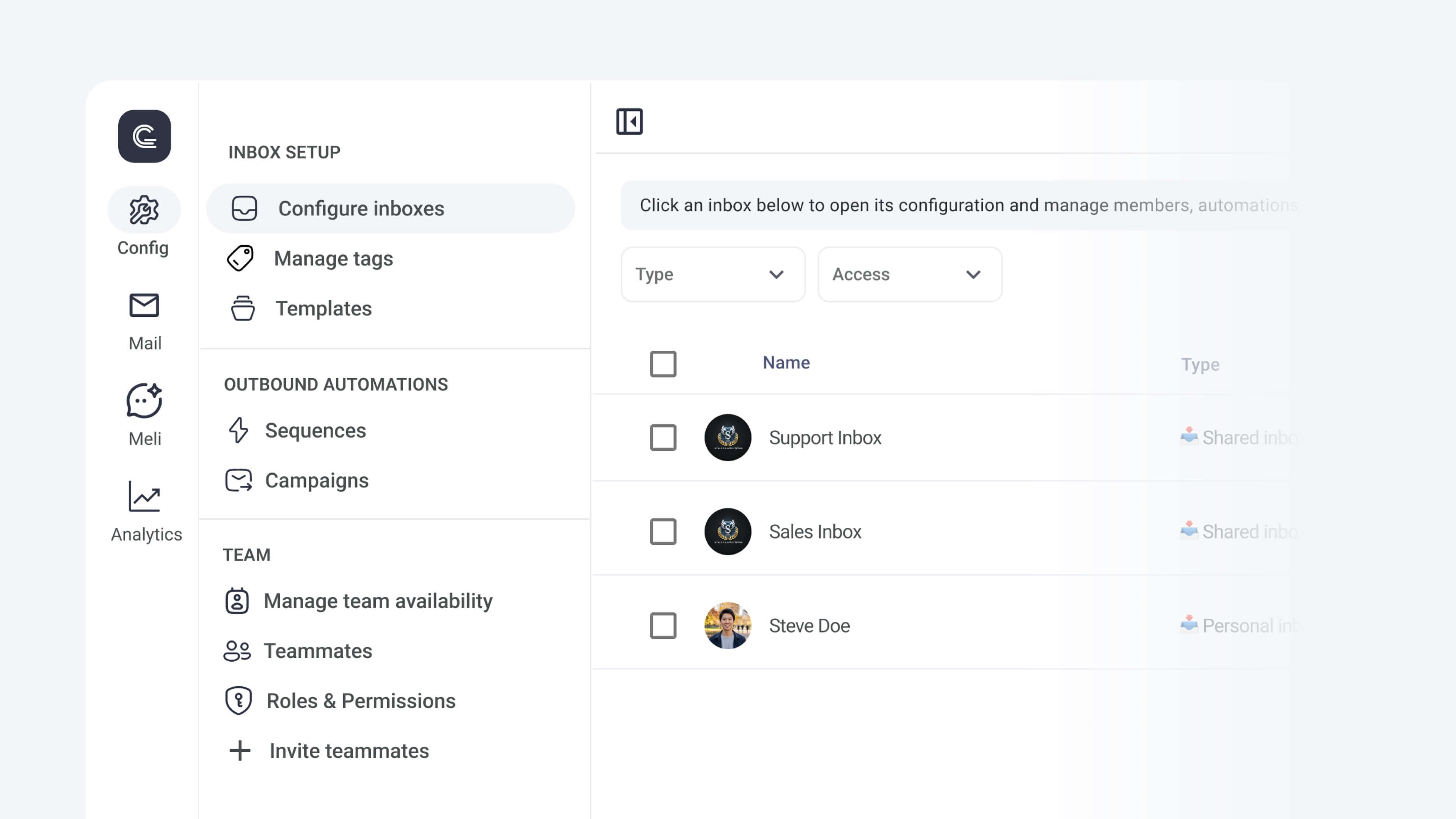
Your Gmelius dashboard is now arranged into four primary sections:

  1. Config for admins

  2. Mail for your inbox

  3. Meli to chat with your AI executive assistant

  4. and Analytics for monitoring productivity

Discover your new dashboard


(Even) More Control Over AI Drafts

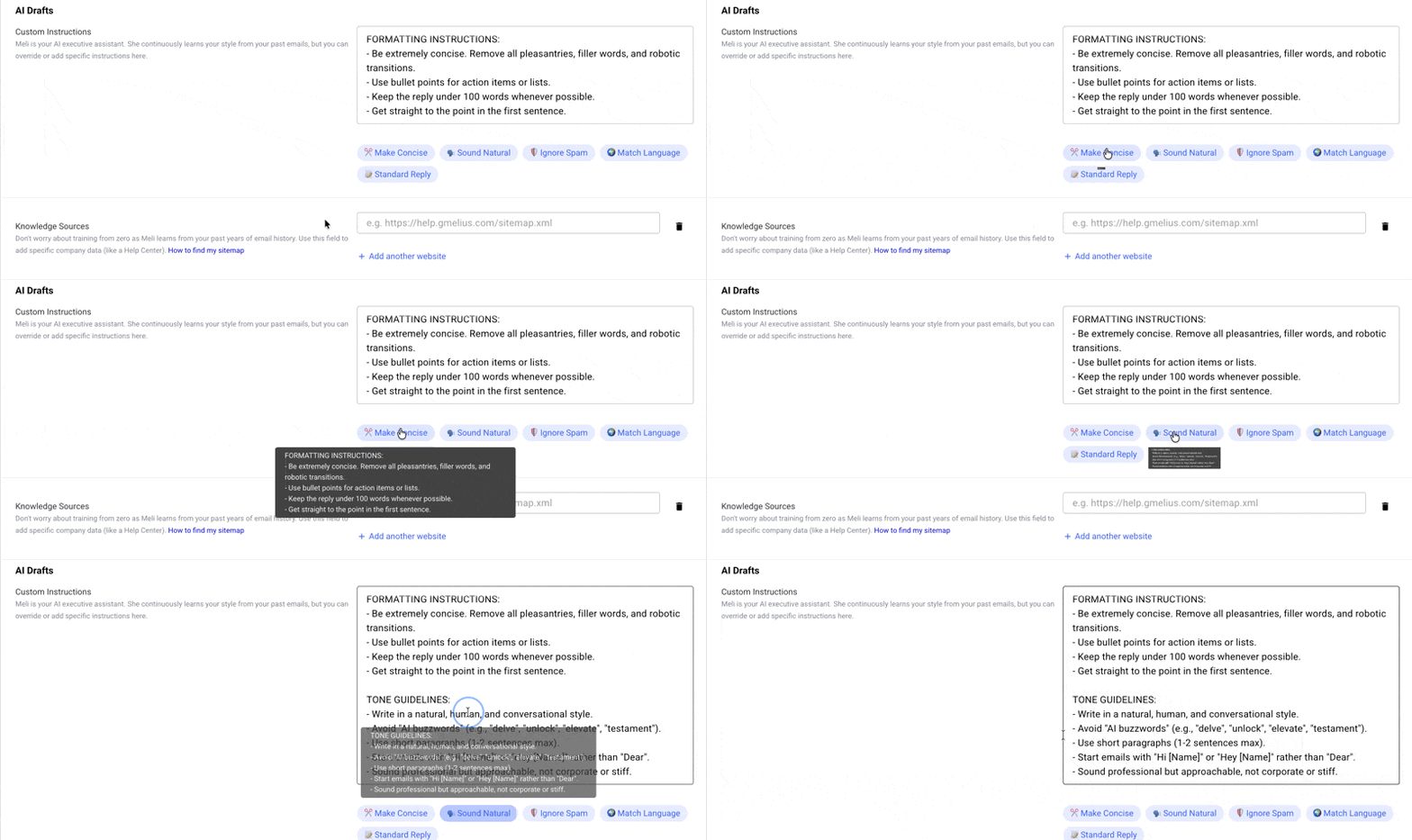
Customizing AI-generated drafts is now easier with pre-built prompts. You can also make drafts more informed by adding multiple knowledge sources. Just add the websites from which you want Gmelius AI to fetch information, and you’re good to go.


AI Follow-Ups Are Here!

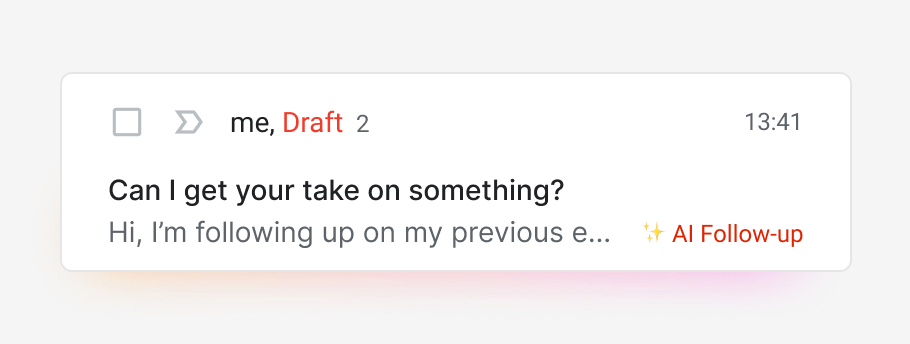
Finally, an AI that follows up for you. Meli (Gmelius AI) understands when a message you send needs a reply.

If the recipient doesn’t respond in 2 days (excluding weekends), Gmelius AI writes a follow-up for you to send in 1 click. If you get a reply, then no follow-up is generated. Simple!

You can configure AI follow ups directly from the AI Drafts tab.


FYI Tags to Identify Emails that Matter a Little Less

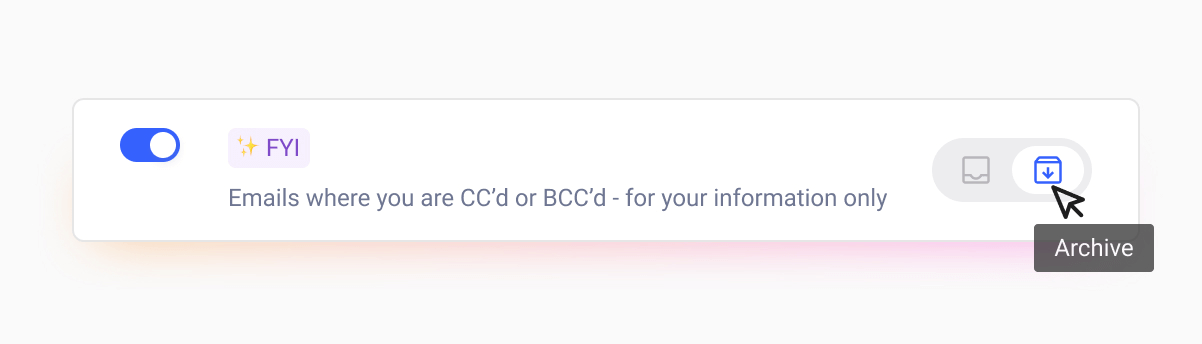
Tired of scrolling through long threads, only to find out you were just CC’d on it? Next time, check for the “FYI” tag in your inbox. It tells you when you’re CC’d or BCC’d into a conversation, so you can prioritize better and save time.

You can configure the new FYI tag directly from the AI Sorting tab.


Good News for 🇯🇵 Japan and 🇮🇹 Italy!

The Gmelius dashboard is now fully localized in Japanese and Italian. So, if you have friends who speak these languages, refer Gmelius and contact our team to earn referral credits :)


From the Editorial Team

On YouTube, we’re exploring how AI works as a massively influential force shaping our modern world.

We also created resources to help you improve productivity while saving time. Check them out:

📨15 Best AI Assistants for Email Productivity: A Buyer’s Guide

✍️These Are the 5 Best Email Generators of 2026  

Earlier updates